In 2026, there isn’t one “best” AI that wins at everything. Instead, Claude, ChatGPT, and Gemini each do certain tasks really well. The right one for you depends on what you need — like quick daily help, careful writing, or working inside Google apps.
This simple guide will help you pick the best AI without feeling overwhelmed. Perfect for busy people who just want practical results.
Quick 2026 Overview
- ChatGPT: The helpful all-rounder that’s great for everyday tasks and creative ideas.
- Claude: Excellent at careful thinking, clear writing, and detailed work.
- Gemini: Super fast and works smoothly with Google tools like Gmail and Docs.
All three have easy-to-use free versions and paid plans around $20/month for more power.
Simple Comparison Table
| What You Want to Do | Best Choice | Why It’s Good for Beginners |
|---|---|---|
| Everyday tasks & fun ideas | ChatGPT | Easy to use, creative, many helpful extras |
| Careful writing or deep thinking | Claude | Gives clear, natural answers with fewer mistakes |
| Working with Google apps or big files | Gemini | Connects directly to your Gmail, Docs, and more |
| Fast responses | Gemini | Quick and snappy |
| Creative projects | ChatGPT | Good at images and editing |
When to Use Each One (Super Simple Examples)
Use ChatGPT when you want... A friendly helper for quick questions, brainstorming, or making content. It has a special Canvas feature that lets you edit writing side-by-side with the AI — like having a helpful editor right next to you.
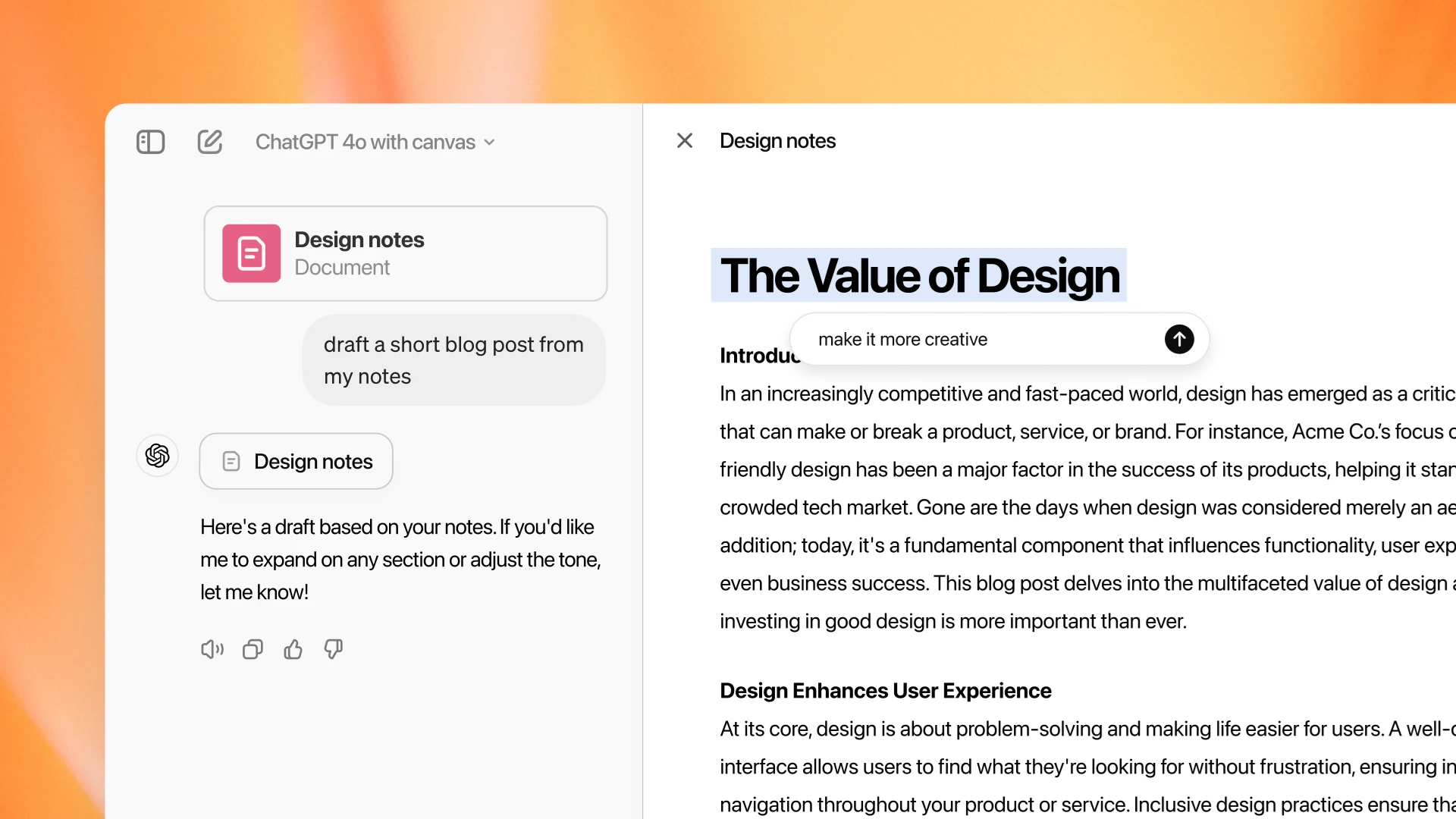
Real-life example: Drafting an email, making a simple list, or getting creative ideas for your day.
Use Claude when you need... Thoughtful, high-quality answers. It’s especially good at long explanations or creating natural-sounding text. Many people love its Artifacts feature, which turns ideas into interactive previews you can see right away.

Real-life example: Writing a detailed plan, reviewing a long document, or building step-by-step instructions.
Use Gemini when you... Already use Google tools (Gmail, Docs, Sheets, etc.). It connects smoothly and handles big files or images very well. It’s often the fastest option too.

My Easy Recommendation for You
Most people do best by using more than one:
- Start with ChatGPT for normal daily stuff.
- Switch to Claude when you need careful, high-quality work.
- Use Gemini when you’re working inside Google apps.
If you can only pick one right now:
- Pick Claude for thoughtful writing and planning.
- Pick ChatGPT for fun, creative, and all-around use.
- Pick Gemini if you live in Gmail and Google Docs.
Pro tip: Try all three for free first. Just go to claude.ai, chatgpt.com, or gemini.google.com and ask the same question in each.
Try This Simple Test Prompt Yourself
Copy and paste this into each AI:
“Act as a helpful productivity coach. Give me 3 easy tips to plan my week better.”
Compare the answers — you’ll quickly see which style you like best.
Final Thoughts
In 2026, the smartest way to use AI isn’t picking one winner — it’s knowing which tool to reach for depending on the job.
Claude feels like a careful colleague. ChatGPT feels like a creative friend. Gemini feels like a fast helper inside your Google world.
Which one are you using most right now? Tell me in the comments — and share what you use it for! If you want a follow-up post showing how to use these AIs with Copilot Studio, just let me know.
👉 Subscribe for more easy AI guides, no-code tutorials, and productivity tips delivered straight to your inbox.
